Import a whole app in seconds
Drop a String Catalog or your project folder. Keys, languages, comments and review states come along. Export writes the same file back, byte for byte.
Source available · runs on your Cloudflare
Drop in your String Catalogs, Android strings or JSON. Invite your team, review every change and export the files back to your project.
Features
Built for indie developers who ship to many languages without a localization department.
Drop a String Catalog or your project folder. Keys, languages, comments and review states come along. Export writes the same file back, byte for byte.
Invite a friend as an admin and a translator as a writer on one project and only the languages they speak. Invites go by email or a link.
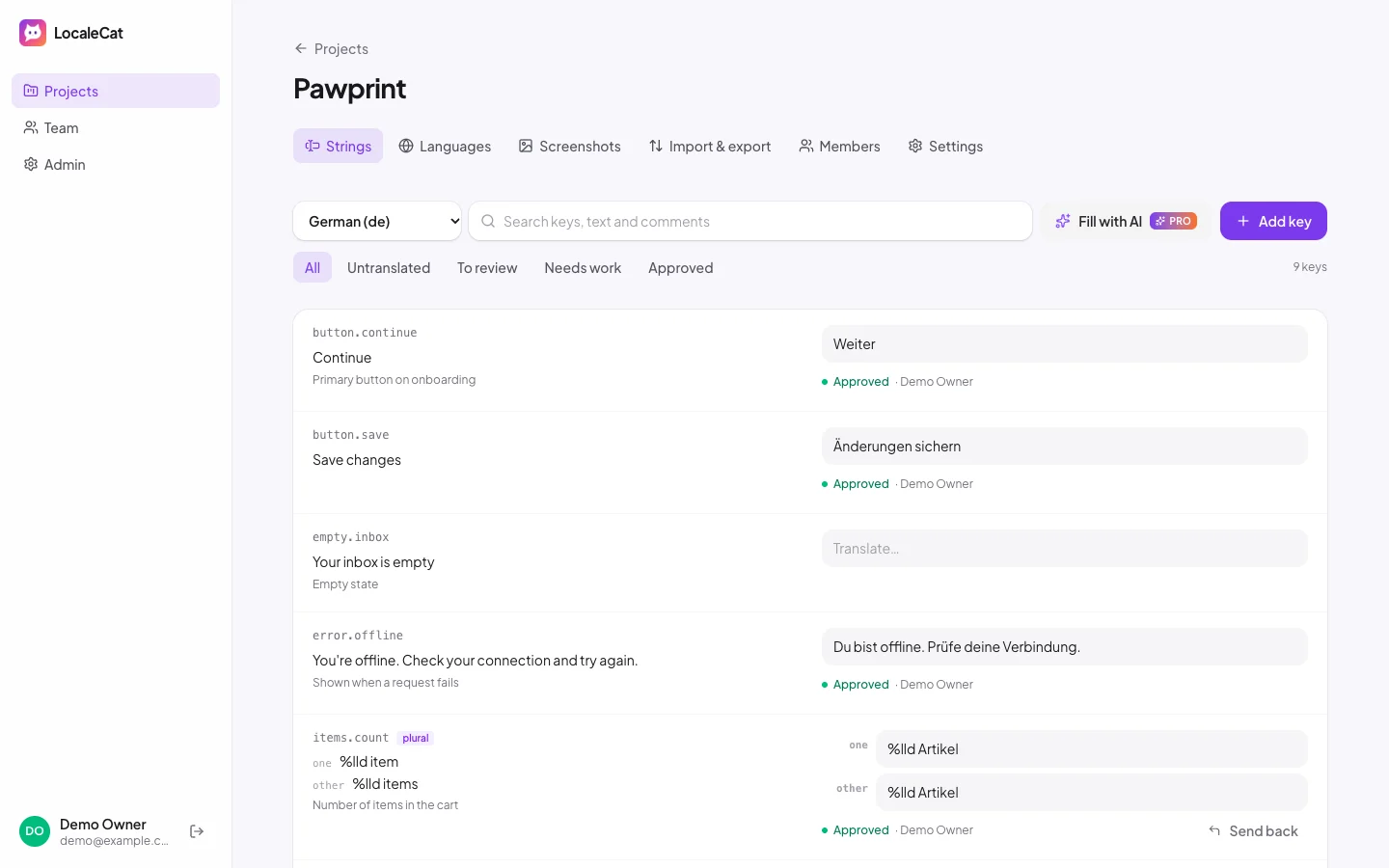
Every edit waits for approval. Change the English and other languages go back to review. Export only approved text when you want to be safe.
Attach screenshots, leave notes and discuss a string in comments, so “Open” becomes the right word for a button and not a store sign.
Each language gets the plural forms it needs, from Japanese to Arabic. A warning shows when a translation drops a %@ or {name}.
Fill missing translations with OpenAI, Anthropic or Gemini. Your key, your bill, and everything the AI writes waits for a person to review.
Your strings, your translators and your Cloudflare account. Nothing in between.
How it works
Click Deploy to Cloudflare. It copies LocaleCat to your GitHub, creates the database and gives you a URL.
Open the URL, create your account and drop your Localizable.xcstrings or strings.xml. Your project is ready.
Invite your translators, approve their work and download the files back into Xcode, Android Studio or your web app.
Pricing
No subscription and no per seat fees. Hosting runs on your own Cloudflare account.
$0
Everything you need for one app.
$39 $79 one time
For your whole team and every app.
One key activates one install. Paste it in Admin, then License.
FAQ
LocaleCat runs on your Cloudflare account. The Workers free plan includes 100,000 requests a day, and static files are free. D1 gives you 5 GB with 5 million rows read and 100,000 rows written a day. Screenshots are compressed in your browser and stored there too. A small team usually fits. Importing a big app writes one row per translation, so a 1,000 key app in 30 languages uses a good part of a day's free writes. If you outgrow it, Cloudflare's paid plan starts at $5 a month.
It's source available under the Fair Core License. You can read, change and run it for yourself or your company for free. You can't sell it or run it as a competing hosted service. Each version becomes MIT licensed two years after release.
Xcode String Catalogs (.xcstrings), Apple .strings, Android strings.xml (including Compose resources), JSON for i18next and react-intl (nested or flat, with plural keys), Flutter .arb and gettext .po. String Catalogs come back exactly the way Xcode writes them, so your diff stays small.
Yes. Keep adding strings in Xcode as usual, import the catalog to pick up new keys, and export it back when translations are done. Comments, plural variations and review states travel both ways.
Yes. Writers can be limited to the languages they speak. Admins see every project, review and invite. You decide per project.
Emails go out through Cloudflare Email Service, which needs a domain on Cloudflare and the Workers paid plan. Without one, LocaleCat gives you an invite link to send yourself.
In your own Cloudflare account: text and screenshots in D1. Nothing is sent to us. Activating Pro checks your license key with Gumroad, and AI translation sends strings only to the provider you pick.
Add your own OpenAI, Anthropic or Gemini key in Admin. LocaleCat sends the source text with your notes and asks for each language's plural forms. Answers that lose a placeholder are dropped, and every AI translation waits for review. AI translation is part of Pro.
Deploying puts a copy of LocaleCat in your GitHub. A workflow in that repo pulls new versions when you run it, and Cloudflare redeploys automatically. Your database is updated on the next visit.
One key activates one install. If you move to a new install, reply to your Gumroad receipt and we'll reset the key.

Deploy in a minute, import your strings, invite your first translator.
Deploy to Cloudflare